
RepairSolutionsPRO
Innova Electronics CorporationAuto & Vehicles
3.936.00 Reviews
- Version
- 2.26.1
- Installs
- 50.00K
- Age Rating
- Everyone
Screenshots
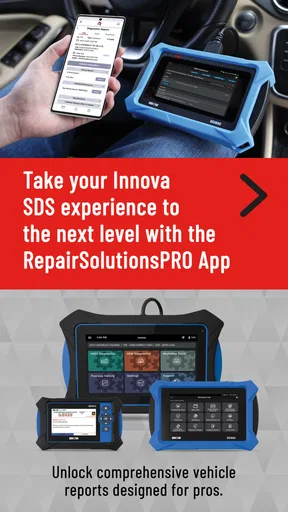
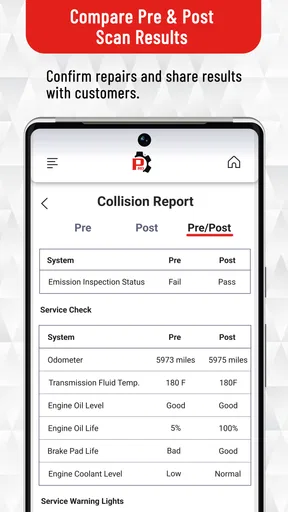
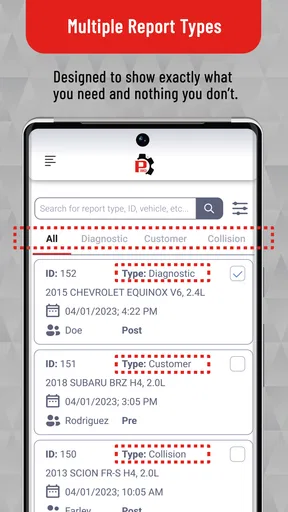
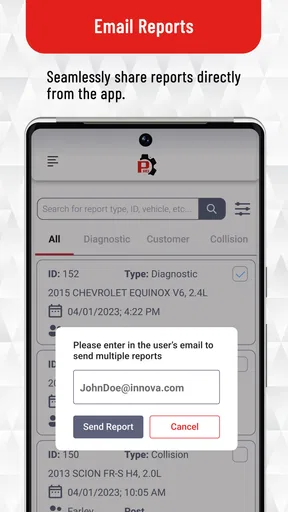
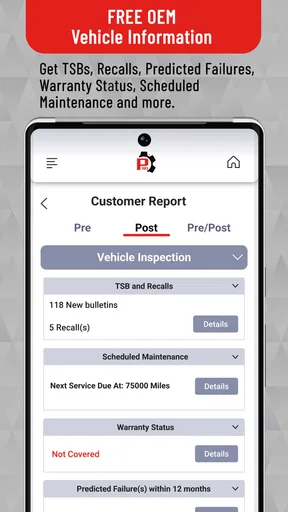
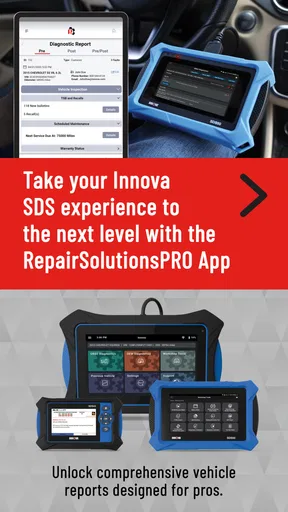
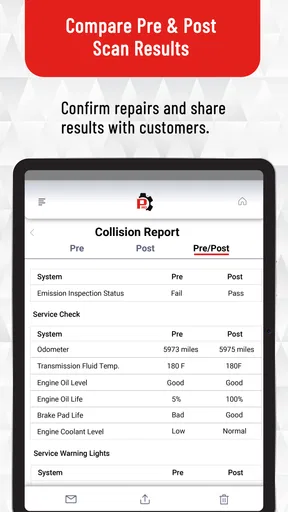
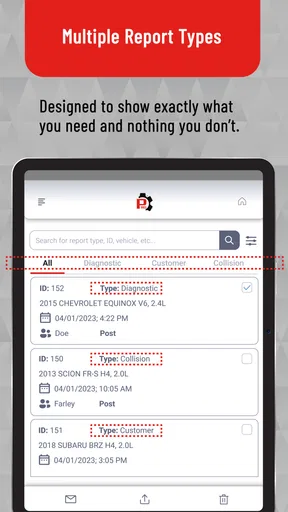
Our Review of RepairSolutionsPRO
 Analysis by Appyee
When a warning light appears on a dashboard, the hardest part is often not reading the code but deciding what to do next. RepairSolutionsPRO is built for that moment, with a focus on helping automotive professionals work through diagnostic information rather than simply displaying a mysterious code. I found its value depends heavily on how comfortably you work with a phone, a vehicle, and an active connection at the same time.
Developed by Innova Electronics Corporation, this free Auto & Vehicles app is aimed at pros, but that does not mean every driver will find it equally approachable. It uses a companion-style workflow around vehicle diagnostics, so the experience makes the most sense when you already have compatible diagnostic equipment and a practical reason to investigate a fault. For casual car owners, it can feel more specialized than a basic code-reading tool.
The app has been available since November 6, 2017, and its current version is 2.26.1. It is rated for Everyone and runs on Android 6.0 or later. Its average score sits at 3.9 from around 127 ratings, with roughly 36 written reviews, while more than 50,000 people have installed it. Those figures suggest a focused tool with a real user base, not a mass-market driving app.
How connectivity shapes the diagnostic workflow
I find connectivity is more than a convenience here: it affects how smoothly a scan can turn into a repair decision. Before starting, I’d check that the phone, diagnostic equipment, and network are ready, then keep the vehicle’s original symptoms in view as I interpret the result. That small bit of preparation helps separate a genuine diagnostic clue from a session interrupted by a weak connection.
The useful part begins when the phone becomes part of the repair process
My first impression is that RepairSolutionsPRO is not trying to replace a technician’s judgment. Instead, it is most useful as a bridge between a diagnostic reading and the next sensible step. A code by itself can be too broad to act on confidently. A professional still needs to consider the vehicle’s symptoms, maintenance history, and physical inspection, but having repair-oriented information close at hand can make that process more organized.
The important distinction is between using the app as a quick reference and treating it as an automatic diagnosis. I would use it to structure an investigation, not to approve an expensive repair without checking the vehicle. This is one of the app’s less obvious strengths: it can reduce the time spent moving between a scan result and supporting information, while still leaving the final decision with the person doing the work.
That workflow also explains why connectivity matters. If the app needs to communicate with a diagnostic device or retrieve supporting material, an unreliable network can interrupt the moment when you are trying to turn a fault code into an action plan. In a workshop with dependable Wi-Fi or mobile data, that may be a minor inconvenience. In a roadside situation, it becomes part of the decision about whether the app is suitable for the job.
A realistic roadside scenario
Imagine a driver notices a warning light before leaving work. I would connect the appropriate diagnostic equipment, open the app, and use the available information to understand whether the problem looks like something that can wait or something that deserves immediate attention. If the phone has a stable connection, this can be a more useful conversation starter with a repair shop than simply saying, “The engine light came on.”
The same scenario becomes less comfortable in an underground car park, a rural area, or a crowded event where mobile service is weak. The hardware may still read a vehicle fault, but the broader app experience can be slowed by whatever information depends on communication between devices or services. That is why I would not make it my only preparation for a long trip. I would keep the vehicle’s important maintenance details available separately and avoid assuming that every helpful screen will be equally accessible in every location.
This is not a criticism unique to this app; it is a consequence of putting diagnostic guidance on a connected smartphone. The benefit is that information can be presented in a more current and organized way than a paper manual. The trade-off is that the phone, the diagnostic tool, and the network all become links in the same chain.
Why the mobile setting changes the experience
Repair work is rarely performed in a quiet office. You may be standing beside a vehicle with gloves on, moving between the engine bay and the driver’s seat, or trying to read a screen in bright daylight. In that environment, every extra tap matters. I prefer to decide what I need before starting a scan: the vehicle details, the symptom I am checking, and whether I am looking for an explanation or a repair direction.
A phone-based diagnostic workflow is particularly convenient for independent technicians who do not want to carry a separate reference device for every job. It is also useful for people who help family members with basic vehicle troubleshooting, provided they understand that the app is not a substitute for mechanical knowledge. The screen gives the process a clear home, but the user still has to interpret what is happening around the car.
For a professional who spends the day handling several vehicles, the best habit is to treat each session as a separate case. Note the vehicle and the original symptom before clearing anything or changing parts. That simple discipline prevents a common mistake: confusing a later result with the condition that first brought the car into the workshop. The app can support an organized workflow, but it cannot create good records unless the user does.
I would also avoid using the phone as an afterthought. Keep it charged, place it where the screen can be checked safely, and do not operate it while the vehicle is moving. These sound obvious, but diagnostic apps are often used during stressful moments, when people are tempted to check a result while driving to the next location. The useful information is not worth creating a second safety problem.
Where the app is stronger than a basic code lookup
A simple web search can tell you what a diagnostic code commonly means, but it usually produces a mixture of generic explanations, forum opinions, and parts recommendations. RepairSolutionsPRO is more appealing when you want a repair-oriented workflow connected to a scan rather than a loose collection of search results. That focus can save time, especially for someone who already knows how to verify a suspected fault.
Compared with a paper repair manual, the phone is easier to carry and quicker to consult beside the vehicle. Compared with a general automotive app, this one feels more narrowly aimed at diagnostics. That specialization is both its reason to exist and its main limitation. If you only want fuel prices, service reminders, trip planning, or a maintenance log, this is not the right category of tool.
The trade-off is that a general web search may be better for unusual symptoms, model-specific owner experiences, or a repair procedure that goes beyond the information presented in the diagnostic workflow. I would use RepairSolutionsPRO to narrow the problem, then confirm important conclusions with the vehicle’s service documentation and a physical test. The app can shorten the path to a sensible check, but it should not be the final authority on a costly repair.
What happens when a connection or session fails
The most frustrating failure is not necessarily a wrong result. It is an interrupted session at the point when you are trying to make a decision. A device may not communicate as expected, the phone may lose service, or the user may leave the app and return without remembering where the diagnostic process stopped. In those situations, I would restart calmly rather than repeatedly tapping through screens.
My recovery routine would be straightforward: check that the phone is communicating with the diagnostic equipment, confirm that the vehicle is in the correct condition for scanning, verify the network, and then repeat the reading. Before acting on a result, I would compare it with the original dashboard symptom. If the warning light and the new reading do not make sense together, that is a reason to investigate further, not a reason to force the app to produce a neat answer.
This is also where experienced users have an advantage. A professional can recognize when a communication problem is likely to be caused by the device, the vehicle, the phone, or the network. A beginner may simply assume that the first incomplete result is meaningful. I would recommend that new users practice the workflow on a familiar vehicle before depending on it during an urgent roadside event.
Another practical tip is to avoid changing several things at once. If the connection fails, do not immediately update the phone, replace the cable, switch vehicles, and clear the diagnostic state all together. Change one variable, try again, and note what improved. That approach is slower for a minute but much faster than losing track of the cause.
Using mobile data without wasting it
Because the app’s connected elements may involve communication with equipment or retrieval of supporting content, I would use it deliberately on mobile data. A scan session is not the place to stream video, download unrelated files, or leave several other data-heavy apps running in the background. The point is not that this app is necessarily data-hungry; it is that a limited connection is more valuable when it is reserved for the diagnostic task.
On a workshop network, I would still avoid assuming that every public Wi-Fi connection is appropriate for sensitive work. Use a connection you trust, keep the phone’s software maintained, and do not hand the device to an unfamiliar person just because they want to “help” with a scan. Good digital habits matter even in an automotive setting.
For roadside use, I would prepare before driving rather than waiting for a warning light. Make sure the phone has enough battery, the diagnostic equipment is available, and the app is ready to open. This does not guarantee a smooth session, but it removes several avoidable delays. It also gives you a chance to decide whether you would rather call a professional than attempt a diagnosis at the side of a busy road.
Users should also pay attention to the app’s payment model. The app is free to install, but in-app purchases range from $5.99 to $249.99 per item. That is a wide range, so I would review what a particular purchase provides before approving it. A free download can be useful for trying the workflow, but it should not be treated as proof that every professional-level function is included at no cost.
Who will get the most from it
I see the strongest fit for technicians, mobile mechanics, serious vehicle owners, and people who already use compatible Innova diagnostic equipment. These users can connect the app to an existing habit: scan, interpret, verify, and decide what to inspect next. The app is also a reasonable option for a mechanically confident driver who wants more structure than a generic code search can provide.
It is less suitable for someone who expects a single button to identify a failed part with complete certainty. It is also not ideal for a driver who rarely deals with vehicle maintenance and would rather receive a simple “book a service” recommendation. In that case, a trusted mechanic or roadside service may be safer and more useful than learning a specialized diagnostic workflow during an emergency.
Connectivity creates another dividing line. If you regularly work in places with poor reception and cannot plan around that limitation, a connected smartphone workflow may frustrate you. A dedicated diagnostic tool with the information you need directly available can be a better primary option, even if it feels less convenient. I would view this app as an extension of a diagnostic setup, not as a universal replacement for every automotive tool.
My practical way of using it
I would begin by identifying the question I am trying to answer. Is the warning light related to a recent symptom? Am I checking whether a vehicle is safe to drive to a shop? Am I gathering useful information before asking for an estimate? Defining that goal keeps the app from becoming a code-collecting exercise.
Next, I would record the vehicle’s behavior before connecting anything: when the light appeared, whether the engine runs differently, and whether the problem happens during starting, acceleration, braking, or idling. Then I would scan and compare the result with those observations. This is a more reliable workflow than reading a code in isolation.
After that, I would use the app’s repair-oriented information as a shortlist of possibilities. I would not order a part solely because its name appears first. I would check connectors, wiring, fluid levels, fuses, and other basic causes where appropriate, then confirm the fault with a test. That habit is one of the biggest differences between using a diagnostic app responsibly and using it as a parts lottery.
If the session is interrupted, I would write down the last completed step before reconnecting. If the result changes, I would treat that as something to explain. Inconsistent readings may be caused by the vehicle’s condition, the connection, or a temporary fault, and rushing past that inconsistency can lead to unnecessary repairs.
Final assessment of the connected experience
RepairSolutionsPRO makes the most sense when a phone is already part of a serious diagnostic routine. Its focus on repair information gives it more practical direction than a bare code dictionary, and its mobile format is convenient beside a vehicle. I particularly like the way it can help turn a scan into a better conversation with a mechanic or a more disciplined inspection for an experienced owner.
Still, the connected nature of the experience deserves respect. A weak network, an unavailable diagnostic device, a low phone battery, or an unclear understanding of the scan can each reduce its usefulness. The app is not a magic diagnosis, and the purchase range means users should think carefully before paying for additional functionality. Those limitations do not make it a poor choice; they define the kind of user who will benefit from it.
With a 3.9 average and a focused audience, I would recommend it selectively rather than universally. If you are a professional or a confident vehicle owner with compatible equipment, it is worth exploring as a practical companion. If you want effortless answers, broad automotive features, or a tool that you can depend on without connectivity planning, I would choose a different solution. For the right user, though, the real advantage is not simply reading a fault code; it is making the next diagnostic decision with better structure.
Verdict
Strengths of RepairSolutionsPRO
- Provides guided diagnostic steps for many common vehicle problems.
- Can help identify issues before visiting a repair shop.
- Includes repair information tailored to the vehicle’s reported fault codes.
- Useful for comparing repair estimates and understanding recommended work.
- May support faster communication between drivers and automotive professionals.
Limitations of RepairSolutionsPRO
- Vehicle coverage and available features can vary by make, model, and year.
- Accurate results depend on compatible diagnostic hardware and reliable data.
- Some advanced repairs still require professional tools and technical expertise.
- Certain features or services may require payment or a participating repair provider.
- The app may be less useful for vehicles with unsupported systems or fault codes.
Other Releases by Innova Electronics Corporation
View All
RepairSolutions2
Auto & Vehicles4.7
Similar Picks in This Category
View All
Android Auto
Google LLC4.1

maxim — order a taxi & food
PT. SITO4.7

Штрафы ГИБДД: проверка с фото
Pays LLC – Штрафы ГИБДД4.7

Номерограм – проверка авто
Авто Ассист4.8

Дром Авто
Дром4.9

Frequently Asked Questions
What is RepairSolutionsPRO used for?
RepairSolutionsPRO is a vehicle diagnostics application designed to work with compatible OBD2 scanners and adapters. It can help read diagnostic trouble codes, explain possible causes, provide repair suggestions, and offer maintenance information. In testing, its usefulness depended heavily on the connected hardware, the vehicle’s make and model, and the quality of the diagnostic data available for that specific car.
Does RepairSolutionsPRO work with every car and OBD2 scanner?
No. Compatibility is not universal, so users should check the supported vehicle list and scanner requirements before downloading or purchasing additional hardware. Most modern vehicles with an accessible OBD2 port may be supported, but coverage can vary by model year, engine, region, and manufacturer. Some advanced systems may also require professional equipment rather than a basic consumer OBD2 adapter.
Can RepairSolutionsPRO fix problems automatically?
RepairSolutionsPRO does not physically repair a vehicle or guarantee that a warning light can be resolved with one tap. Instead, it interprets diagnostic codes and presents information that may help identify the issue and plan the next step. Some alerts have simple causes, while others involve wiring, sensors, mechanical components, or safety systems. Professional inspection is recommended when the problem is unclear.
Is RepairSolutionsPRO suitable for beginners?
The app is intended to make vehicle diagnostic information easier to understand, so it can be useful for drivers with limited mechanical experience. Its explanations and suggested repair information are more approachable than raw trouble codes alone. However, beginners should still use caution, especially when dealing with brakes, airbags, steering, high-voltage systems, or other safety-critical components, where incorrect repairs can be dangerous.
Does RepairSolutionsPRO require an internet connection or paid features?
Some functions may require an internet connection because the app can retrieve diagnostic explanations, repair information, vehicle data, or account-related content online. Availability of features may also depend on the connected scanner, subscription terms, or optional purchases. Before relying on the app, review the current pricing, permissions, supported devices, and feature limitations shown in the official app listing.
